

Fill this gap. Find this size. Pick this order.
Item-level accuracy is the beginning. What matters is what a colleague does next, so Clarity Store lives on the handheld in their hand and turns every count into the next job on the floor — from a gap on the shelf to a markdown that needs printing.
Begin with a number you can trust.
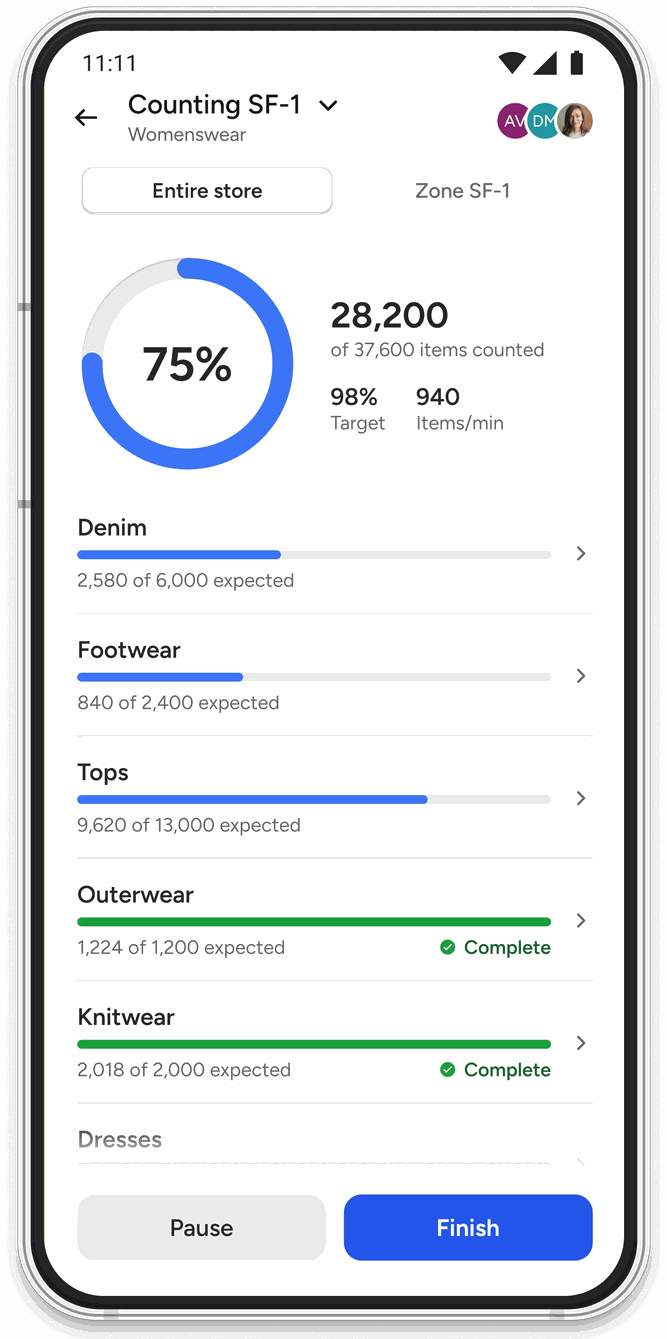
An accurate baseline is what everything else is built on, so counting has to work in the real cases: part of a range untagged, a stockroom wall you would rather not shield, a correction cycle that needs to land the same day.
- Stock Count preset or custom, by department, with re-counts and thresholds
- Non-RFID Stock Count barcode-scanned quantities for the untagged portion of the range
- User tasks send the right count to the handheld so nobody picks the wrong one
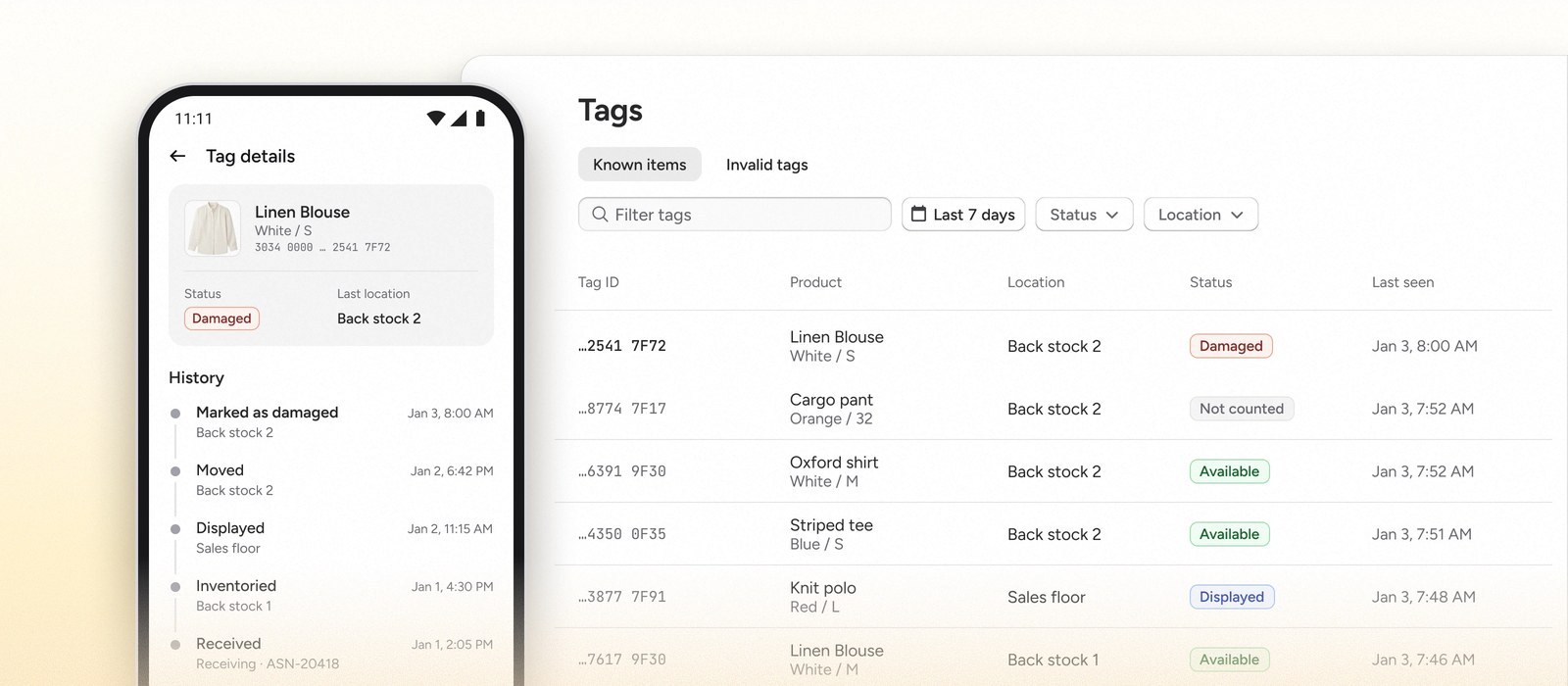
- Invalid Tag Finder unsupported formats, duplicate encodings, and unknown product data, searchable across every store by reason and timeframe
- Locate Geiger and Proximity Scan narrow a missing item down to where it actually is, so a discrepancy gets resolved on the floor rather than written off
Counts overwrite the ERP where you allow it, and the correction that used to take days lands the same shift. Restrict any of it by role. Model the hours this gives back →
The gap on the shelf is the whole business.
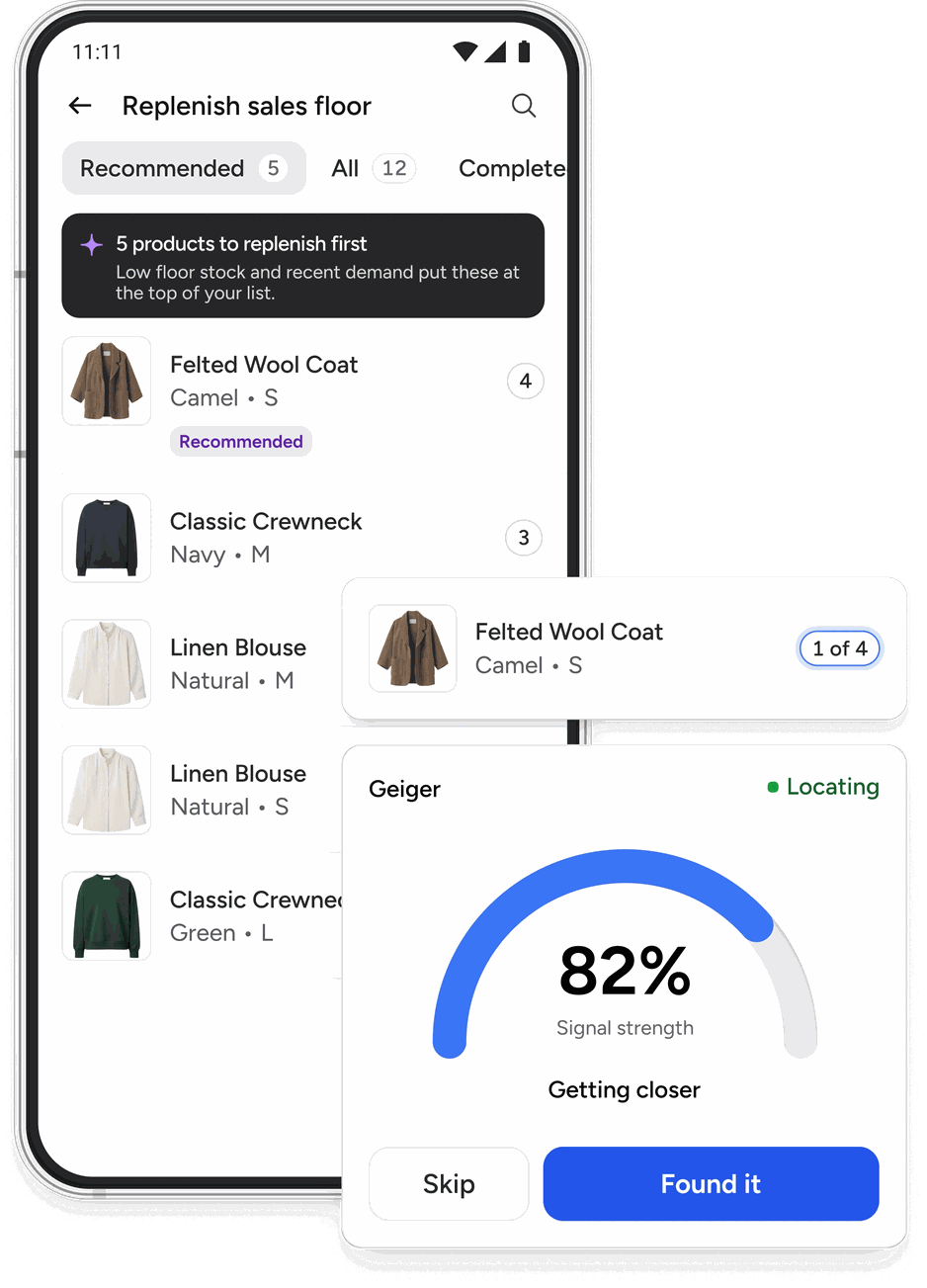
A size sitting in the stockroom is a sale you have already paid for and will not make. Replenishment is where accuracy turns into revenue, and where a smaller store team feels the difference first.
- Replenishment smart replen recommendations rank what to fill first, so the colleague works a list instead of making a judgment call
- Replenishment lists your own priority SKUs
- Work tasks build a list as you walk the floor, for the gaps you spot yourself
- Shelf Capacity default capacities centrally, overrides at the store
- Display Management keep specified items on display, with pair finding for footwear
Every promise the store makes, kept.
An online order the store cannot find, a customer asking for a size nobody can locate, a markdown that takes three passes over four days. These are the moments where inaccurate stock is visible to the person paying you.
Stock Explorer
Search inventory by product, see size availability, and check another store's stock without a phone call. Locate takes over from there, so the trip to the stockroom happens only when the item is actually there. Images, prices, and markdowns on the card.
Orders
Click-and-collect and ship-from-store fulfillment with multi-picking, collection confirmation, and printer integration. Picked items have their tag status changed so they are not counted again at the next stock count.
Promotions
Load markdown lists and print tickets, or run percentage and BOGOF promotions that need no printing at all. Thousands of SKUs, a range of read methods to find them, and an instruction field you control. Any single item can be priced on the spot too, for the delivery that arrives mid-promotion or the one found after the sale has ended, with old and new prices color-coded so the colleague cannot misread them.
Customer requests
One colleague on the floor, one in the stockroom, a shared zone between them. The floor asks, the stockroom accepts, confirms, or rejects with stock holdings suggested, and progress stays visible to the colleague waiting. Replaces the two-way radio that half works, and the customer gets the size brought out while they are still in the fitting room.
Stock arrives, leaves, and changes its mind.
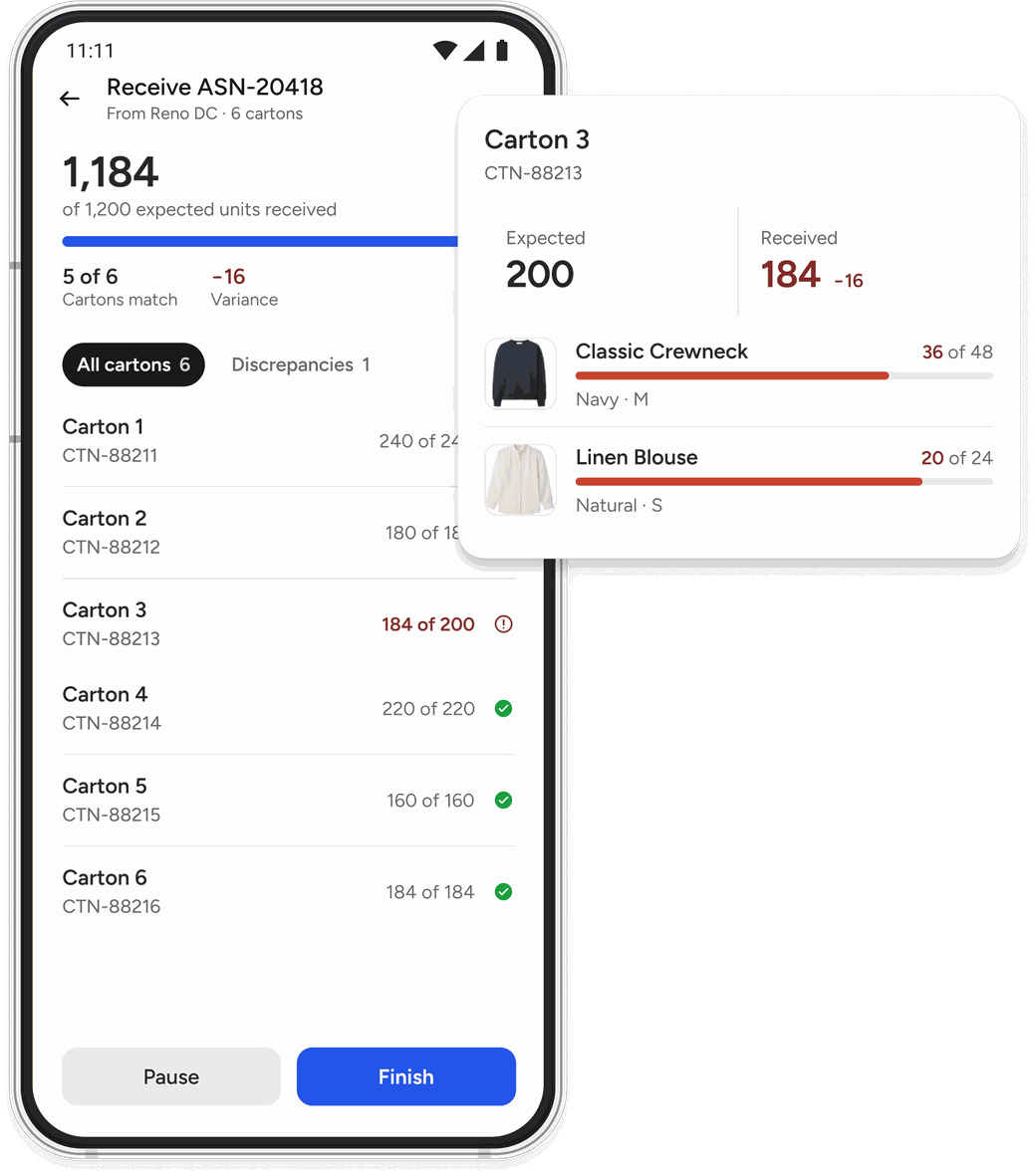
Deliveries checked properly, transfers you can trace, damages taken out of the count the moment they happen. The unglamorous half of store inventory, and the half that keeps the number honest.
- Shipment Receipt receive against an ASN, or blind-receive without one
- Transfer move stock between stores, creating the receiving store's ASN automatically
- Item Workflows change a tag's location or status, for waste, damages, and theft
- Workflow builder build your own, name them, pin them as quick-launch icons
Built to still be working in year three.
Tagging at store level, and the administration that keeps a rollout healthy long after go-live.
For everything that arrives untagged.
- Encoding three steps, scan or type the barcode, with a fast path that skips the catalog check
- Printer Encoding print the label and encode the tag in one pass
- Tag Details read any tag for its product, location, and full event history
- Custom labels your own sticker templates, including free text
For the people who own it.
- SSO and role permissions four roles, with restricted features grayed out rather than hidden
- Data Manager refresh settings and clear cached data without leaving the app
- Log viewer pull device logs locally or to blob storage, with or without an MDM
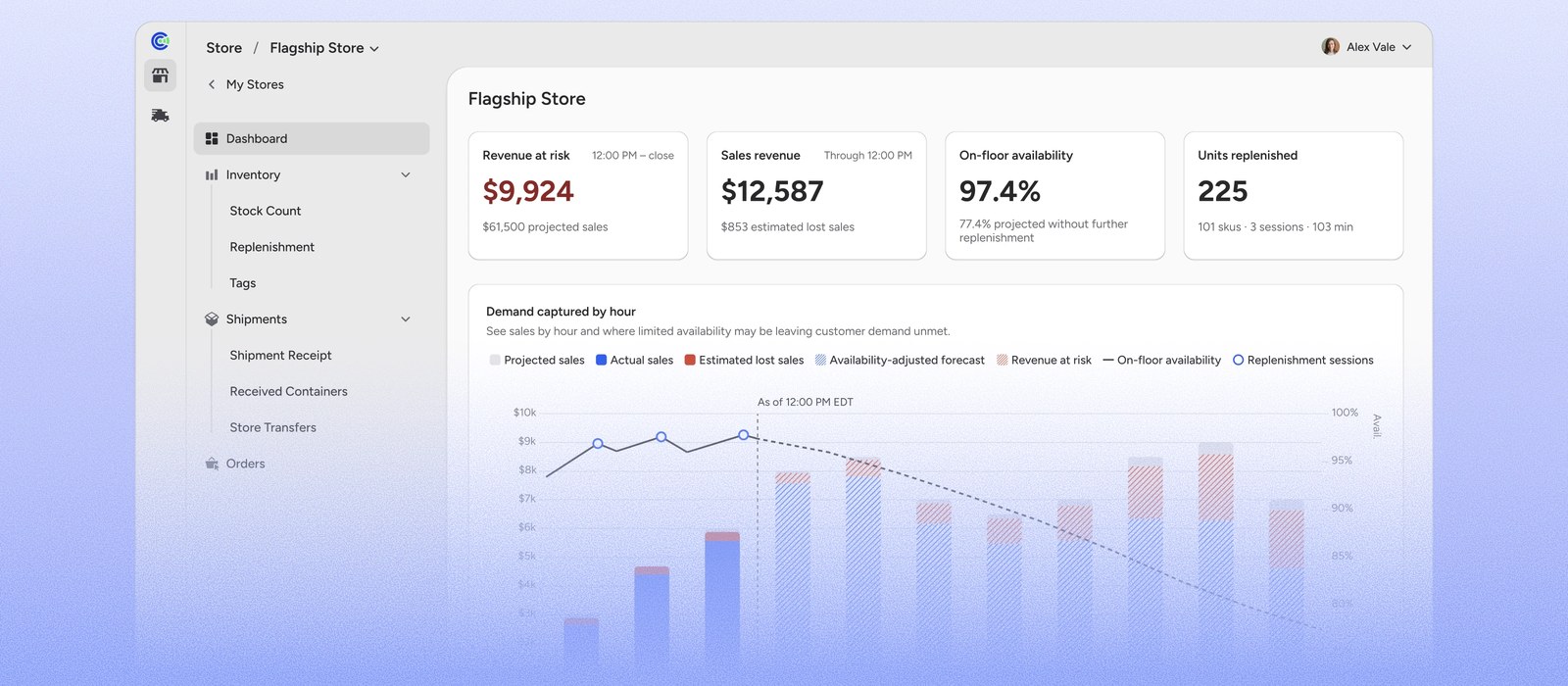
Write-offs restricted to management, counting open to everyone. The same permission data feeds the usage analytics. Head office works from its own dashboard, and the feeds behind it are configured centrally rather than store by store — see Integrations.
Everything Clarity Store does.
Twenty-five features, grouped by the job each one does.
- Stock Count
- Non-RFID Stock Count
- User tasks
- Invalid Tag Finder
- Locate
- Replenishment
- Replenishment lists
- Work tasks
- Shelf Capacity
- Display Management
- Stock Explorer
- Orders
- Promotions
- Customer requests
- Shipment Receipt
- Transfer
- Item Workflows
- Workflow builder
- Encoding
- Printer Encoding
- Tag Details
- Custom labels
- SSO and role permissions
- Data Manager
- Log viewer
See it in your own stores.
Thirty days, one or two of your stores, your own stock. You get your real accuracy figure and a rollout model built on it, and you keep both whichever way you decide.